Electronic Team uses cookies to personalize your experience on our website. By continuing to use this site, you agree to our cookie policy. Click here to learn more.
 Olga Weis
• Mar 25, 2026
Olga Weis
• Mar 25, 2026
When you need to give someone access to your Donglify account but prefer not to share your email address and password, login tokens offer a simple solution.
A login token works like a protected digital key. It allows another user to sign in to your Donglify account through the desktop application without needing to enter their login details. After signing in, the user can use USB security dongles and other devices linked to the account.
Login tokens are meant only for accessing the Donglify desktop application. They do not provide entry to Donglify online accounts or any web-based portals.
Contents
Donglify login tokens are a native feature that allows account owners to grant access to their accounts in a secure and controlled manner.
Rather than sharing an email address and password, the account owner generates a token and lets another user have it, too. The recipient can use the Donglify desktop application to sign in and work with the shared USB devices.
Remote teams, external contractors, and short-term collaborators can all benefit from this method when they need to work with licensed software protected by USB security dongles.
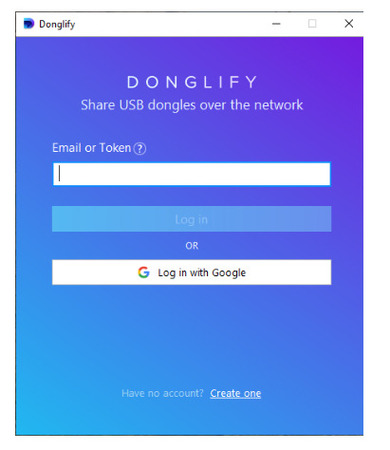
A Donglify login token lets a user sign in to an account via the Donglify desktop application.
Once logged in with a token, the user can:
In short, anyone logging in with a token can access and manage all devices connected to the account.
Important: Login tokens do not allow access to Donglify web accounts. They work only inside the desktop application.
Access can be instantly revoked at any time by deleting the token.
Login tokens let you:
For distributed teams, login tokens make it much easier to manage shared USB dongles.
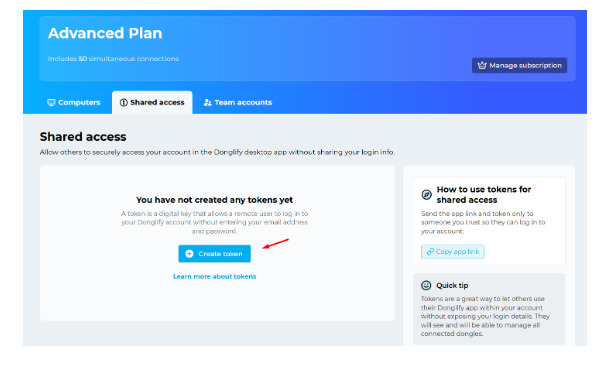
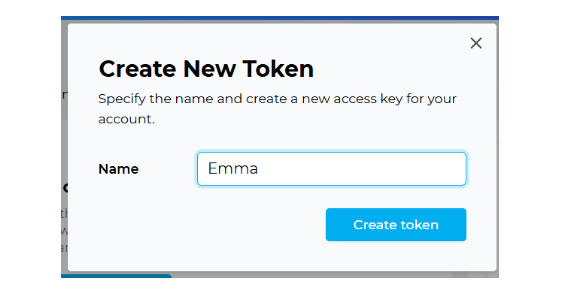
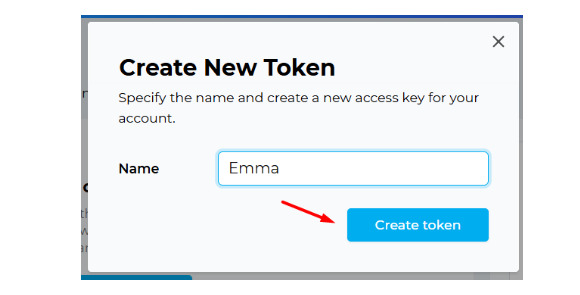
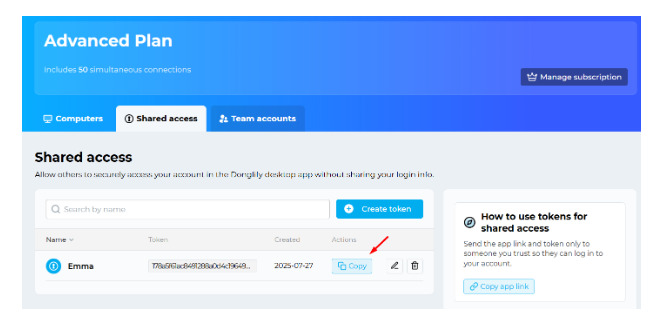
Note: After a user signs in with the token you shared, they can view and manage all devices linked to your account.
To remove a token you created, click the bin icon next to it in your online Donglify account:
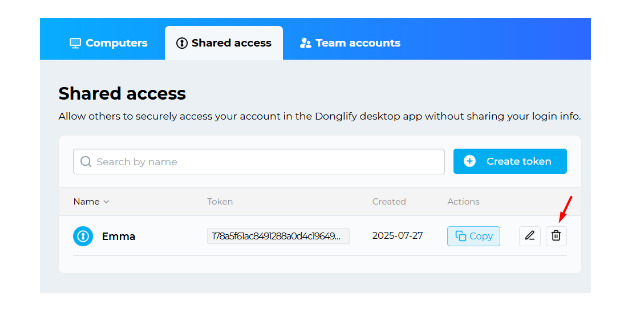
Note: Deleting a token immediately logs out all users who were using it.